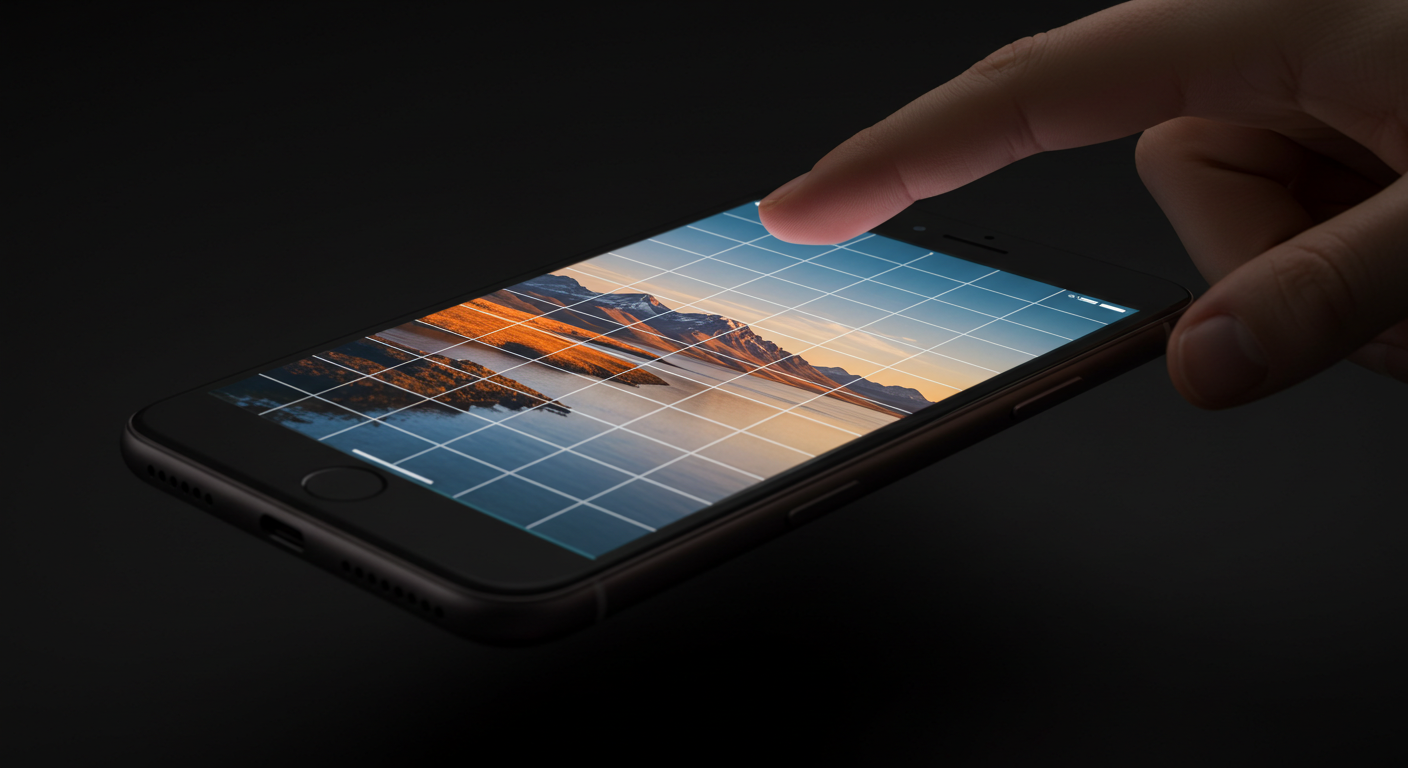
For decades, the fundamental law of photography has been absolute: once you press the shutter, your perspective is locked in stone. If you stood two inches too far to the left, or if your camera tilt introduced unwanted keystoning, your only recourse in post-processing was to crop, stretch, and warp the existing pixels. But at WWDC on June 8, 2026, Apple quietly shattered this paradigm. Coming to the iOS 27 Photos app this autumn, Spatial Reframing is a groundbreaking generative photography tool that doesn't just crop your images—it reconstructs an entirely shifted camera perspective after the fact, effectively letting you move your camera in three-dimensional space long after leaving the scene.
How Spatial Reframing Redefines the Camera Angle
Traditional photo editing tools are inherently destructive or subtractive; cropping discards valuable resolution, while perspective correction stretches pixels, resulting in localized softness. Spatial Reframing bypasses these limitations entirely by combining on-device spatial models with Apple's secure Private Cloud Compute. When you tap the new "reframe" button in iOS 27, you can drag your finger to physically slide the camera angle, or pinch to zoom and rotate.
Instead of merely warping the flat 2D plane, the underlying AI intelligently infers the 3D geometry of the scene. If you shift the angle upward, the algorithm mathematically calculates what should be visible behind foreground objects, generating realistic new texture, depth, and structural data to fill in the canvas edges. During this real-time adjustment, the Photos app displays a temporary, stylized blur around the newly generated boundaries before rendering a seamless, high-resolution final image that looks as though the camera was physically positioned differently during capture.
"Spatial Reframing isn't about fixing a bad photo; it's about unlocking a fluid, post-capture relationship with physical space. It treats the camera sensor not as a final canvas, but as a window into a three-dimensional volume."
The Tech Under the Hood: Compatibility and Depth Mapping
One of the most surprising announcements from Apple is the sheer versatility of the tool. While modern iPhones equipped with LiDAR and dual-camera arrays can supply rich, hardware-level depth maps to make the spatial reconstruction incredibly precise, Spatial Reframing is not locked to newly captured images. Apple has confirmed that the generative model is fully capable of inferring complex spatial structure from flat, legacy 2D images. This means you can import vintage scans or photographs shot on dedicated mirrorless cameras decades ago and still shift their perspective seamlessly.
Hardware Requirements and the AI Processing Floor
Because this tool relies so heavily on the cutting-edge neural engines powering Apple Intelligence, it does feature a strict hardware floor. To run Spatial Reframing on-device, you will need one of the following devices:
- iPhone 15 Pro or iPhone 15 Pro Max
- Any model within the iPhone 16 lineup
- Compatible iPads and Macs running Apple Silicon M-series chips
The heavy lifting of generating high-fidelity textures that match the original lens characteristics, grain profile, and lighting conditions is handled locally for speed, utilizing Private Cloud Compute when more complex background details need to be synthesized.
Ethics, Authenticity, and the SynthID Watermark
As generative AI continues to blur the line between documentary capture and digital illustration, authenticity remains a massive talking point in the photographic community. Industry giants like PetaPixel and DPReview have long discussed the ethical implications of generative fill. Apple is addressing these concerns head-on with iOS 27.
To maintain absolute transparency, any image modified using Spatial Reframing—or other updated Apple Intelligence tools like "Clean Up" and "Extend"—will automatically receive a non-destructive, hidden SynthID watermark. Developed in partnership with Google DeepMind, this robust metadata flag identifies the photo as AI-modified across compatible browsers, social networks, and image databases, ensuring that the art of pure, unedited documentary photography remains distinct from generative digital art.
Practical Tips for Photographers in the iOS 27 Beta Era
The developer beta of iOS 27 is currently live, with a public beta arriving later this summer before the official autumn release. If you are eager to experiment with this new frontier of mobile photography, here is how you can prepare your workflow:
- Shoot slightly wider than usual: Give the spatial engine more environmental context to work with; this makes the generated edges look even more convincing.
- Experiment with high-contrast foregrounds: Test how the AI handles occlusion by shifting perspectives on subjects standing behind fences or foliage.
- Leverage your legacy archive: Import older RAW files from your dedicated cameras into your iCloud Library to see how the 2D-to-3D spatial inference engine handles high-fidelity files. For more tips on managing your digital negatives, check out Digital Photography School.
- Watch the light direction: While the AI is excellent at generating matching textures, extremely complex, directional cross-lighting can sometimes show minor artifacts during dramatic perspective shifts.
Step Into the Future of Creative Composition
Whether you view Spatial Reframing as the ultimate composition safety net or a radical departure from traditional photography, there is no denying that Apple is rewriting the rules of the craft. As mobile technology continues to bridge the gap between hardware limitations and creative vision, the definition of a "successful capture" is expanding.
Are your freshly reframed compositions ready to be seen by a global audience? Put your unique perspective to the test by entering your best work in the upcoming Framez competitions. Join the Framez community today to share your images, discover curated galleries, and connect with fellow photographers pushing the boundaries of what is possible in the digital age.


