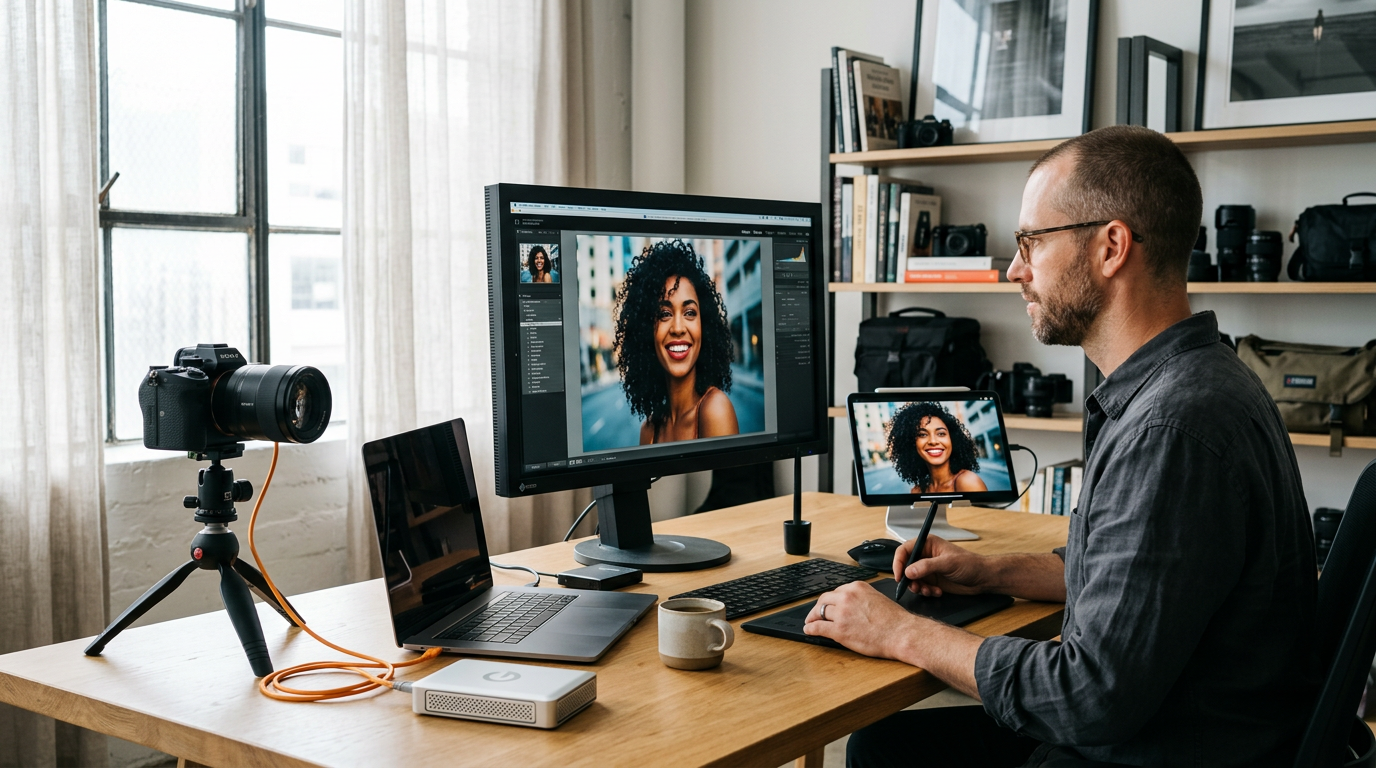
For years, professional photographers and demanding enthusiasts have viewed Capture One as the gold standard for color reproduction and studio tethering. However, as computational photography and artificial intelligence reshaped the post-processing landscape, many creators found themselves round-tripping to third-party plugins just to clean up high-ISO noise. With the release of Capture One 16.8, the subsequent 16.8.5 service refinement, and the massive Capture One Mobile 4.0 update, the developer has delivered a resounding response to these workflow bottlenecks. This suite of updates justifies its premium ecosystem pricing with groundbreaking AI tools, highly optimized tethering, and a mobile application that finally feels like a true desktop counterpart.
AI Enhanced Denoise: Eliminating the Third-Party Round-Trip
The crown jewel of the Capture One 16.8 update is undoubtedly the new Enhanced Denoise engine. Historically, managing extreme low-light noise in Capture One required exporting files to dedicated noise-reduction software, a process that disrupted non-destructive workflows and cluttered hard drives with massive TIFF files. The new built-in AI tool changes the game by analyzing RAW data directly within your existing catalog or session.
What sets Capture One’s implementation apart from competitors is its nuanced approach to detail preservation. Instead of completely smoothing out an image and leaving subject textures looking plasticky, the software introduces an intuitive "Impact" slider. This allows you to dial in the perfect balance between noise reduction and natural-looking grain. Skin tones remain remarkably lifelike, and fine details—such as eyelashes or fabric textures—stay incredibly sharp while background noise melts away.
Format Support and What’s Next
At launch, Enhanced Denoise fully supports standard Bayer pattern RAW files from major manufacturers like Sony, Canon, and Nikon. For those shooting on Fujifilm’s unique sensor layout, Capture One has confirmed that X-Trans support is actively in development and scheduled for release later this year. This addition makes the software an even stronger competitor to Adobe’s Lightroom, a comparison often discussed in depth on authority sites like dpreview.com.
"Great post-processing isn't about making an image look edited; it's about stripping away the technical limitations of your gear to let the story shine through clearly."
Smarter Tethering for Fast-Paced Studio Environments
If there is one area where Capture One has always held an undisputed crown, it is tethered shooting. The 16.8 and 16.8.5 releases double down on this strength with a brilliant quality-of-life feature called "When Preview Is Ready" tethering.
In high-volume commercial shoots, waiting for heavy AI adjustments, custom styles, and complex masks to render on a newly captured image can slow down the momentum of the entire crew. Capture One resolves this by instantly rendering a sharp, color-graded preview on your screen the moment the shutter clicks. While you and your client review the composition, the software quietly processes the heavier background tasks, such as deep AI masking and noise reduction, without locking up the user interface.
Additionally, the 16.8.5 update introduces automated crop orientation. When shooting tethered or applying batch adjustments, the crop tool now intelligently detects and matches the camera’s physical orientation. This subtle adjustment saves digital techs and solo photographers thousands of manual clicks over the course of a single production day.
Capture One Mobile 4.0: The iPad and iPhone Become True Workstations
Mobile photo editing has transitioned from a casual convenience to a professional necessity. With the launch of Capture One Mobile 4.0, the developer has successfully bridged the gap between the studio desktop and on-the-go devices. This update brings a host of desktop-class features directly to your iPad and iPhone, turning them into fully capable, portable editing suites.
Photographers can now run the resource-intensive Enhanced Denoise tool directly on mobile hardware. Furthermore, advanced tools like Color Balance wheels, precise Heal and Clone brushes, and robust keyword management have been seamlessly integrated into the touch-first interface. Whether you are editing on a flight or reviewing files on location, your mobile metadata and adjustments sync flawlessly back to your main desktop sessions.
New Camera Support and Enterprise Integrations
To remain the industry standard, software must constantly adapt to new hardware. The latest updates expand native RAW support and introduce tailored color profiles for several highly anticipated cameras, ensuring perfect color rendering right out of the box. Key additions include:
- Full RAW support and dedicated color profiles for Hasselblad's premium medium format lineup, including the X2D 100C, X2D II 100C, and CFV 100C.
- Immediate compatibility with newly released bodies like the Canon EOS R6 V and the Panasonic DC-L10.
- Support for high-end industrial systems, including the Phase One IXM-RS250.
- Direct integration with enterprise services like Photoroom, Pixelz, and Gemini (Nano Banana) to automate background removal and retouching directly from export actions.
For detailed comparisons of how these new camera sensors perform under various lighting conditions, photographers frequently turn to resources like petapixel.com and fstoppers.com to evaluate real-world RAW latitude.
Elevate Your Craft and Share Your Vision
Mastering these advanced post-processing features is only half the journey; the real magic happens when you share your refined work with a community that appreciates the technical and artistic effort behind every frame. If you are looking to push your boundaries, get constructive feedback, and test your skills against creators worldwide, consider submitting your best high-ISO or mobile-edited masterpieces to the curated Framez competitions. Engaging with global challenges is one of the fastest ways to refine your eye and elevate your photographic career.
Whether you are leverage-editing on an iPad in the field or running high-volume commercial shoots in a studio, Capture One 16.8 and 16.8.5 provide the modern tools necessary to streamline your workflow. Explore the new updates, experiment with the AI Enhanced Denoise, and join the global community at Framez to share your photographic journey today.


