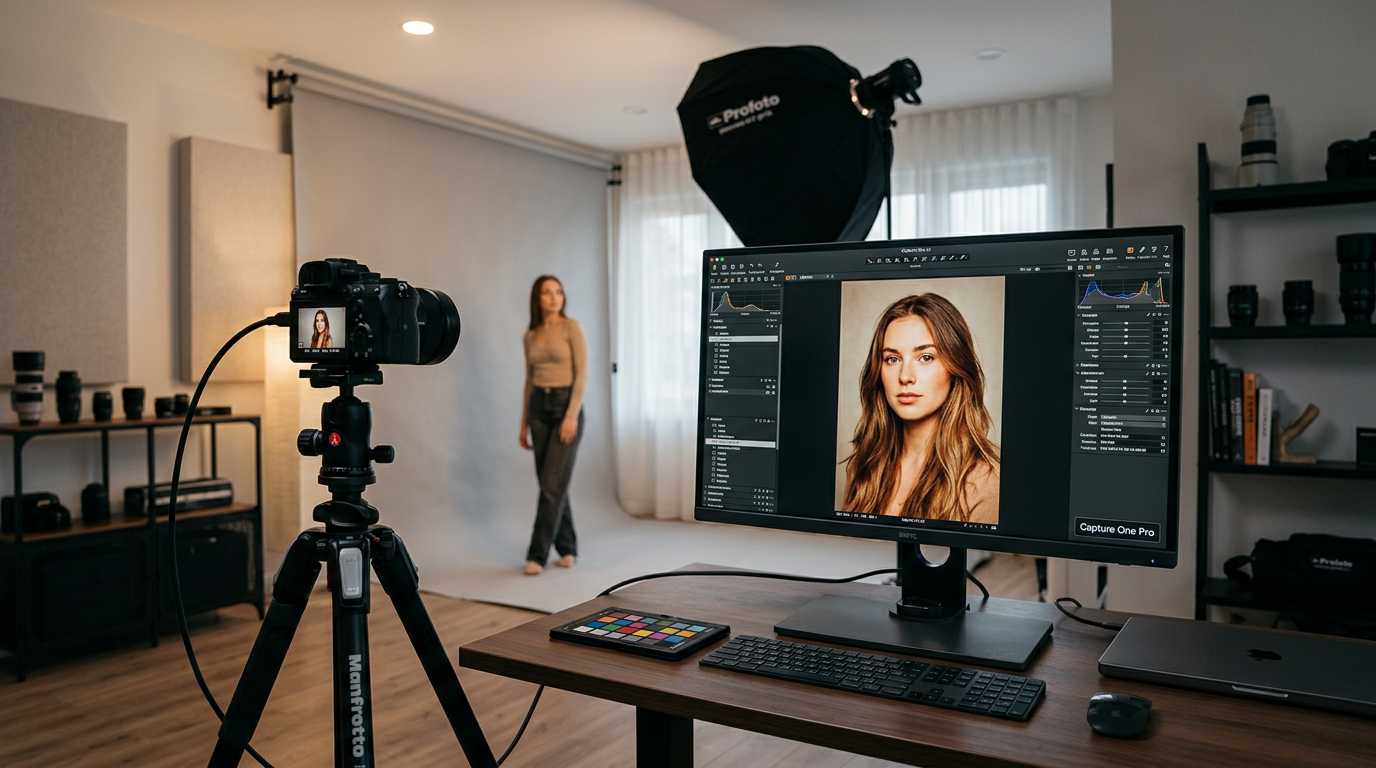
For high-volume studio photographers, the ultimate bottleneck has never been the click of the shutter; it has always been the grueling hours spent behind the monitor afterward. Culling thousands of images from a fashion editorial or commercial headshot session can drain a creator's energy long before the actual creative styling begins. However, the release of Capture One 16.8 (and the subsequent 16.8.5 and Mobile 4.0 updates) marks a paradigm shift in how we manage professional post-processing. By integrating intelligent, non-destructive AI automation directly into the core importing and tethering engines, Capture One has targeted the exact friction points of high-pressure studio environments.
AI Assisted Review: The Death of Manual Culling
The crown jewel of the Capture One 16.8 update is undoubtedly Assisted Review (Beta). This AI-powered culling assistant is designed to perform the heavy lifting of your initial image pass. Instead of manually zooming in on every single frame to check eye sharpness, Assisted Review automatically scans your imported batches to flag technical errors instantly.
The engine acts as a silent digital assistant, identifying and tagging three primary workflow disruptors:
- Closed Eyes: Instantly flags subjects caught mid-blink during portrait or group sessions.
- Out-of-Focus Subjects: Detects soft focus on faces, separating usable shots from near-misses.
- Exposure Anomalies: Flags severe exposure issues, such as black frames or missed studio flash syncs.
These smart diagnostics appear as native metadata tags directly in your image browser. This allows you to immediately filter out unusable frames or automatically group them into Smart Albums. Rather than spending hours squinting at eyelashes, you can jump straight to selecting the best expressions from an already-curated shortlist.
"AI shouldn't replace the photographer's creative eye; it should strip away the administrative friction of editing so that the artistic vision can take center stage immediately after the shoot."
Enhanced Denoise: Seamless Background Processing
Noise reduction has historically been a destructive or disruptive step in raw image processing. For years, tools like Adobe Lightroom's Denoise AI have required users to pause their workflow, generate a massive, storage-heavy intermediate DNG file, and wait for rendering. Capture One 16.8.5 completely bypasses this headache with its new Enhanced Denoise engine.
Raw Performance Without the Storage Bloat
Optimized specifically for Bayer-pattern RAW files shot at ISO 3,200 and higher, Enhanced Denoise runs silently in the background. It does not generate duplicate files or freeze your workspace, meaning you can continue adjusting exposure, color grading, or cropping while the engine cleans up your high-ISO images.
Crucially, the tool features an intuitive "Impact" slider. This allows editors to gently blend luminance noise back into the frame. The result is a perfect balance between surgical noise cleanup and a natural, film-like achromatic grain that preserves delicate skin textures and fine fabrics. Furthermore, with the launch of Capture One Mobile 4.0, this exact desktop-grade Enhanced Denoise tool—along with Color Balance and Heal & Clone—is now fully operational on iOS devices, enabling a truly seamless mobile-to-desktop workflow.
Next-Gen Tethering: Built for Speed and Flexibility
Tethered shooting is the lifeblood of commercial studio production. To keep clients and art directors happy, images need to appear on screen instantly, looking as polished as possible. To address this, Capture One has introduced 2nd Gen Wireless Tethering and a revolutionary "When Preview Is Ready" mode.
Engineered to maximize the high-speed wireless capabilities of modern bodies like the Canon EOS R5 Mark II and EOS R1, the second-generation wireless system delivers editable RAW previews to your screen in under one second. This effectively eliminates the speed gap between wired USB-C connections and wireless setups, giving photographers unprecedented physical freedom on set.
To keep up with this rapid data transfer, the "When Preview Is Ready" display mode prioritizes showing a sharp, color-graded preview immediately. Heavy background tasks, such as AI masking, crop orientation adjustments, and local adjustments, are queued to render silently behind the scenes. This ensures that the photographer's rhythm is never broken by an on-screen loading wheel. Additionally, a new dynamic crop orientation feature detects when the camera is rotated from landscape to portrait, automatically rotating the on-screen crop to match the physical camera position in real time.
Actionable Tips to Optimize Your Capture One Studio Workflow
To squeeze every drop of performance out of the new 16.8 updates, consider integrating these professional practices into your next studio session:
- Build Culling Smart Albums: Set up a custom Smart Album template that automatically filters out any images tagged by Assisted Review as having closed eyes or soft focus, keeping your workspace clean from the start.
- Leverage Background Denoise on Import: Apply Enhanced Denoise style presets during the import process of high-ISO event shoots so the cleanup happens entirely while you prep your workspace.
- Optimize Wireless Channels: When using the ultra-fast 2nd Gen Wireless Tethering on set, ensure your router is set to a dedicated 5GHz or 6GHz band to prevent interference from team mobile devices.
- Use "When Preview Is Ready" for Client Viewing: Turn this mode on during live portrait sessions to keep client-facing monitors snappy and responsive, avoiding the distraction of rendering lag.
To learn more about optimizing your RAW processing setups, check out deep-dive camera reviews on DPReview, read up on advanced editing techniques at Digital Photography School, or explore professional studio gear integration guides on Fstoppers.
Put Your New Workflow to the Test
By removing the tedious hurdles of manual culling and heavy noise rendering, Capture One 16.8 and 16.8.5 allow you to focus entirely on the art of capturing the perfect moment. Once you have streamlined your studio pipeline and elevated your imagery, it is time to share your vision with the global community. Submit your freshly polished, tack-sharp portraits and commercial works to the prestigious Framez competitions. Join a passionate community of creators, receive expert feedback, and showcase how modern AI-assisted workflows are redefining the boundaries of contemporary photography today at Framez.


